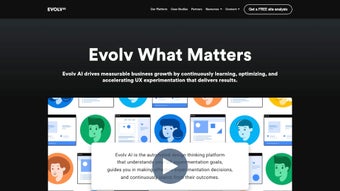

Download EvolvAI – AI‑powered Customer Experience Optimization Tool
Overview
EvolvAI is an advanced, AI‑driven platform built to elevate customer experiences through real‑time experimentation and personalization. By continuously analyzing user behavior, the software helps businesses adapt their digital strategies on the fly, turning friction points into moments of delight. The platform’s core strength lies in its ability to run thousands of simultaneous tests, automatically surfacing the most effective variations without the need for manual hypothesis tracking.
Executives benefit from intuitive dashboards that translate raw data into clear visual insights, enabling quick decision‑making across marketing, product, and support teams. Whether you operate in e‑commerce, SaaS, finance, or any other industry that relies on digital interaction, EvolvAI provides a scalable, secure, and data‑rich environment for turning insights into action. Its seamless integration capabilities mean you can embed the engine into existing tech stacks—whether that’s a web storefront, a mobile app, or a CRM—without extensive redevelopment.
In short, EvolvAI equips organizations with the scientific rigor of A/B testing, amplified by the speed and nuance of modern artificial intelligence, to deliver consistently higher customer satisfaction and conversion rates. Moreover, the solution adheres to the latest compliance standards, offering GDPR‑ready data handling and role‑based access controls that keep sensitive information safe. Companies that adopt EvolvAI often report a measurable lift in key performance indicators such as average order value, churn reduction, and overall lifetime customer value, proving that AI‑guided experimentation is not just a buzzword but a tangible business catalyst.
Key Features that Set EvolvAI Apart
- Real‑time Experimentation Engine: Run unlimited variants simultaneously, with AI automatically allocating traffic to the best‑performing options. The engine continuously monitors statistical significance, ensuring that every decision is backed by robust data.
- Behavior‑Driven Personalization: Leverages machine learning to serve personalized content based on individual user journeys and contextual signals such as device type, location, and browsing history, creating hyper‑relevant experiences.
- Executive Dashboard & Visual Analytics: Interactive charts, heatmaps, and KPI widgets that translate complex experiment data into actionable business insights. The dashboard supports custom report creation, export to PDF, and real‑time sharing with stakeholders.
- Seamless Integration Suite: Pre‑built connectors for popular platforms such as Shopify, WordPress, Salesforce, and custom APIs, reducing deployment time to days. Webhooks and data pipelines let you feed experiment results into existing BI tools.
- AI‑Powered Idea Generator: Uses cognitive science models to suggest new experiment concepts, helping teams overcome creative fatigue and discover high‑impact opportunities they might otherwise miss.
- Secure Data Handling: End‑to‑end encryption, GDPR‑compliant data storage, and role‑based access controls ensure that sensitive user information remains protected while still being readily available for analysis.
- Scalable Architecture: Cloud‑native infrastructure that automatically scales with traffic spikes, suitable for both startups and enterprise‑level workloads. Horizontal scaling guarantees low latency even during peak periods.
- Multi‑Channel Support: Optimizes experiences across web, mobile web, native iOS, Android apps, and even email campaigns, providing a unified view of performance across every digital touchpoint.
- Automated Reporting & Alerts: Schedule custom reports and receive real‑time alerts when a variant reaches statistical significance, allowing rapid iteration and faster time‑to‑value.
- Continuous Learning Loop: The platform refines its predictive models as more data is collected, improving experiment efficiency over time and reducing the number of visitors needed to reach confidence.
Beyond the list, EvolvAI’s feature set is designed to be modular, meaning organizations can enable only the components they need while keeping the overall system lightweight. This flexibility is especially valuable for companies that are transitioning from legacy A/B testing tools and need a phased migration path. The combination of AI automation, deep analytics, and enterprise‑grade security positions EvolvAI as a future‑proof solution for any business that wants to stay ahead in the competitive digital landscape.
Installation, Usage & Compatibility
Step‑by‑Step Installation
Getting started with EvolvAI is designed to be straightforward, even for teams without deep engineering resources. Follow these steps to launch your first experiment:
- Create an Account: Visit the official EvolvAI website, click “Sign Up,” and complete the registration wizard. You’ll receive a verification email to confirm your organization.
- Choose a Deployment Option: Select between a fully hosted cloud instance or a self‑hosted Docker container, depending on your compliance requirements. The cloud option includes automatic updates and managed security patches.
- Install the SDK: For web, add the JavaScript snippet to the
of your pages. For mobile, integrate the iOS or Android SDK via CocoaPods or Gradle, respectively. Detailed documentation provides sample code for React, Angular, Vue, and native frameworks. - Configure Your First Project: Within the dashboard, define the target URL or app screen, set up the variables you want to test (e.g., headline, button color), and specify traffic allocation. You can also import existing experiment definitions via CSV.
- Launch the Experiment: Click “Start” and watch the AI engine begin allocating visitors in real time. Results appear instantly on the dashboard, with live charts showing conversion lift, confidence intervals, and visitor distribution.
- Iterate: Use the insights to pause under‑performing variants, clone successful ones, or let the AI suggest new ideas automatically. The platform also offers “auto‑optimize” mode, which can permanently roll out winning variations without manual intervention.
Supported Operating Systems
EvolvAI is compatible with the following environments:
- Windows 10 and later (for the desktop management console)
- macOS 11 (Big Sur) and later
- Linux distributions (Ubuntu 20.04+, CentOS 8+)
- iOS 13+ (via native SDK)
- Android 8.0+ (via native SDK)
Best Practices for Ongoing Use
To extract maximum value from EvolvAI, consider these operational guidelines:
- Define Clear Success Metrics: Align each experiment with a business KPI—conversion rate, average order value, churn reduction, etc.—so the AI knows what to optimize.
- Start Small: Test one or two variables at a time to maintain statistical power and avoid overwhelming the AI model with too many dimensions.
- Leverage the Idea Generator: Use the built‑in suggestions to explore novel hypotheses you might not have considered, especially for seasonal campaigns.
- Monitor Statistical Significance: Let the platform notify you when a variant reaches confidence thresholds before making permanent changes, reducing the risk of premature rollouts.
- Document Learnings: Record experiment outcomes in a shared knowledge base; this accelerates future testing cycles and helps new team members get up to speed quickly.
- Regularly Review Security Settings: Ensure role‑based permissions are up to date, especially after staff changes, to keep data access tightly controlled.
Following these practices not only speeds up the learning loop but also fosters a data‑driven culture across the organization, turning experimentation into a core competency rather than an occasional activity.
Pros, Cons & Frequently Asked Questions
Pros
- AI automates traffic allocation, reducing manual bias.
- Scalable infrastructure handles high‑traffic spikes effortlessly.
- Comprehensive dashboard makes data interpretation accessible to non‑technical stakeholders.
- Robust security and compliance features protect user data.
- Multi‑channel support ensures a unified optimization strategy.
- Idea generator sparks creative experiment concepts, keeping testing pipelines full.
- Auto‑optimize mode can roll out winning variations without manual steps.
Cons
- Initial setup may require developer assistance for SDK integration.
- Pricing can be higher for enterprises needing unlimited experiments.
- Learning curve for teams new to AI‑driven experimentation.
- Self‑hosted deployment demands internal resources for maintenance.
- Advanced features such as custom predictive models are only available on higher‑tier plans.
FAQ
Is EvolvAI suitable for small businesses?
Yes. EvolvAI offers tiered pricing that includes a starter plan with a limited number of concurrent experiments, making it affordable for startups and small e‑commerce sites while still providing access to AI‑powered insights.
How does EvolvAI ensure data privacy?
The platform employs end‑to‑end encryption, stores data in GDPR‑compliant regions, and offers role‑based access controls. Customers can also opt for a self‑hosted deployment to keep data behind their own firewalls.
Can I integrate EvolvAI with my existing analytics tools?
Absolutely. EvolvAI provides native connectors for Google Analytics, Mixpanel, Adobe Analytics, and also supports custom webhook integrations, allowing you to synchronize experiment data with your preferred reporting stack.
What level of technical expertise is required to run experiments?
While basic SDK installation benefits from a developer’s help, the experiment creation UI is designed for marketers and product managers. No coding is needed to define variants, set goals, or analyze results.
How quickly can I expect to see results?
Because EvolvAI allocates traffic in real time, statistically significant outcomes can emerge within hours for high‑traffic sites. For lower‑traffic environments, the platform provides projected timelines based on current visitor volume.
Does EvolvAI support A/B/n testing beyond simple binary tests?
Yes. The engine is built for multivariate testing, allowing you to evaluate dozens of combinations simultaneously. AI-driven traffic allocation ensures each variant receives the optimal amount of exposure based on early performance signals.
Conclusion & Call to Action
In a digital landscape where every click can influence brand perception, EvolvAI offers a scientific yet accessible path to continuous improvement. Its blend of AI‑driven experimentation, intuitive dashboards, and secure, multi‑channel support equips businesses of all sizes with the tools needed to turn raw user data into meaningful, revenue‑boosting actions. While there is a modest learning curve and the pricing reflects its enterprise‑grade capabilities, the return on investment—measured in higher conversion rates, reduced churn, and deeper customer insight—often justifies the cost. If you’re ready to replace guesswork with data‑backed confidence, the next step is simple: download EvolvAI, set up your first experiment, and let the platform do the heavy lifting. Empower your team to deliver experiences that not only meet but exceed user expectations—one AI‑optimized iteration at a time.
Start your free trial of EvolvAI today and experience the power of real‑time personalization.
Pros: AI automation, robust analytics, multi‑channel, strong security, idea generator.
Cons: Requires initial developer input, higher price tier for unlimited experiments, advanced features locked behind premium plans.



.png)



